安卓原生保活 通知栏加后台零音量播放音乐
目前测试短时间没有被系统杀死,可以正常收到socket消息。文章内会贴上完整安卓原生代码。我这是红米,目前测试还可以,其他机型没有测试。
1、先添加权限
app\src\main\AndroidManifest.xml中manifest:
<uses-permissionandroid:name="android.permission.FOREGROUND_SERVICE_MEDIA_PLAYBACK" />
app\src\main\AndroidManifest.xml中manifest->application:
<!-- 后台保活服务 --><serviceandroid:name="im.hxjoyo.com.KeepAliveService"android:enabled="true"android:exported="false"android:foregroundServiceType="mediaPlayback" />
TSApplication.kt:
KeepAliveService.startService(applicationContext)
KeepAliveService.kt:
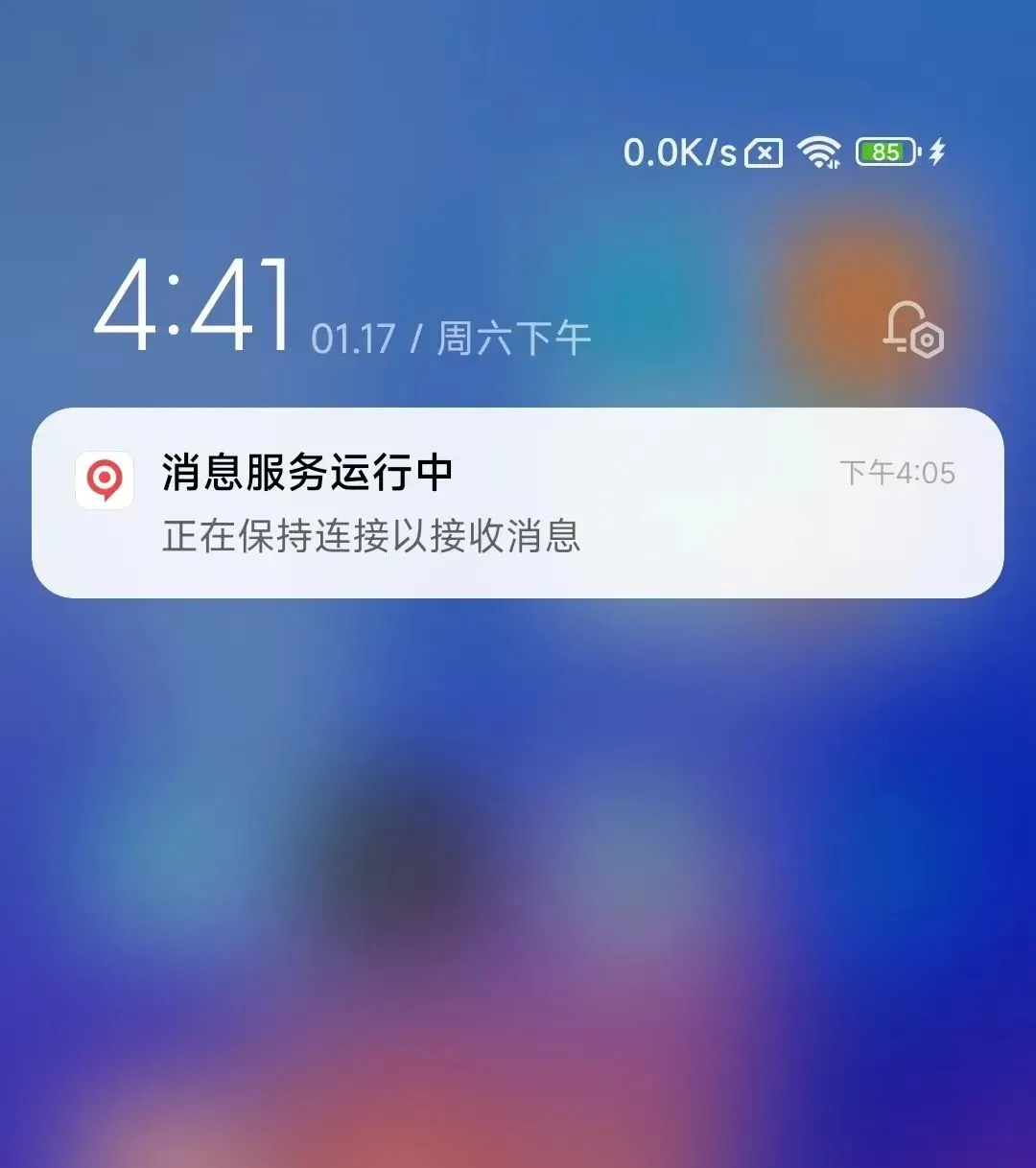
package im.hxjoyo.comimport android.app.Notificationimport android.app.NotificationChannelimport android.app.NotificationManagerimport android.app.PendingIntentimport android.app.Serviceimport android.content.Contextimport android.content.Intentimport android.media.AudioAttributesimport android.media.MediaPlayerimport android.os.Buildimport android.os.IBinderimport android.util.Logimport androidx.core.app.NotificationCompat/** * 后台保活服务 * 通过播放静音音乐保持应用活跃,确保能够接收消息 */classKeepAliveService : Service() { private var mediaPlayer: MediaPlayer? = null private val TAG = "KeepAliveService" private val CHANNEL_ID = "keep_alive_channel" private val NOTIFICATION_ID = 9999 companion object { private var isRunning = false fun isServiceRunning(): Boolean {return isRunning } /** * 启动保活服务 */ fun startService(context: Context) {if (!isRunning) { val intent = Intent(context, KeepAliveService::class.java)if (Build.VERSION.SDK_INT >= Build.VERSION_CODES.O) { context.startForegroundService(intent) } else { context.startService(intent) } Log.d("KeepAliveService", "启动保活服务") } } /** * 停止保活服务 */ fun stopService(context: Context) {if (isRunning) { val intent = Intent(context, KeepAliveService::class.java) context.stopService(intent) Log.d("KeepAliveService", "停止保活服务") } } } override fun onCreate() {super.onCreate() Log.d(TAG, "onCreate") isRunning = true // 创建通知渠道 createNotificationChannel() // 启动前台服务 startForeground(NOTIFICATION_ID, createNotification()) // 初始化并播放静音音乐 initMediaPlayer() } override fun onStartCommand(intent: Intent?, flags: Int, startId: Int): Int { Log.d(TAG, "onStartCommand")return START_STICKY // 服务被杀死后自动重启 } override fun onBind(intent: Intent?): IBinder? {return null } override fun onDestroy() {super.onDestroy() Log.d(TAG, "onDestroy") isRunning = false // 释放媒体播放器 releaseMediaPlayer() } /** * 创建通知渠道(Android 8.0+) */ private fun createNotificationChannel() {if (Build.VERSION.SDK_INT >= Build.VERSION_CODES.O) { val channel = NotificationChannel( CHANNEL_ID,"消息保活服务", NotificationManager.IMPORTANCE_LOW ).apply { description = "保持应用活跃以接收消息" setShowBadge(false) setSound(null, null) } val notificationManager = getSystemService(NotificationManager::class.java) notificationManager?.createNotificationChannel(channel) } } /** * 创建前台服务通知 */ private fun createNotification(): Notification { val notificationIntent = Intent(this, MainActivity::class.java) val pendingIntent = PendingIntent.getActivity( this,0, notificationIntent,if (Build.VERSION.SDK_INT >= Build.VERSION_CODES.M) { PendingIntent.FLAG_IMMUTABLE or PendingIntent.FLAG_UPDATE_CURRENT } else { PendingIntent.FLAG_UPDATE_CURRENT } )return NotificationCompat.Builder(this, CHANNEL_ID) .setContentTitle("消息服务运行中") .setContentText("正在保持连接以接收消息") .setSmallIcon(R.mipmap.ic_logo) .setContentIntent(pendingIntent) .setPriority(NotificationCompat.PRIORITY_LOW) .setOngoing(true) // 设置为持续通知 .setSound(null) .build() } /** * 初始化媒体播放器,播放静音音乐 */ private fun initMediaPlayer() {try { mediaPlayer = MediaPlayer().apply { // 设置音频属性if (Build.VERSION.SDK_INT >= Build.VERSION_CODES.LOLLIPOP) { setAudioAttributes( AudioAttributes.Builder() .setContentType(AudioAttributes.CONTENT_TYPE_MUSIC) .setUsage(AudioAttributes.USAGE_MEDIA) .build() ) } else { @Suppress("DEPRECATION") setAudioStreamType(android.media.AudioManager.STREAM_MUSIC) } // 使用现有的音频文件 setDataSource( applicationContext, android.net.Uri.parse("android.resource://${packageName}/${R.raw.newrtc}") ) // 设置循环播放 isLooping = true // 设置音量为0(静音) setVolume(0f, 0f) // 准备并播放 prepare() start() Log.d(TAG, "静音音乐播放已启动") } } catch (e: Exception) { Log.e(TAG, "初始化媒体播放器失败", e) } } /** * 释放媒体播放器资源 */ private fun releaseMediaPlayer() {try { mediaPlayer?.apply {if (isPlaying) { stop() } release() } mediaPlayer = null Log.d(TAG, "媒体播放器已释放") } catch (e: Exception) { Log.e(TAG, "释放媒体播放器失败", e) } }}
效果: