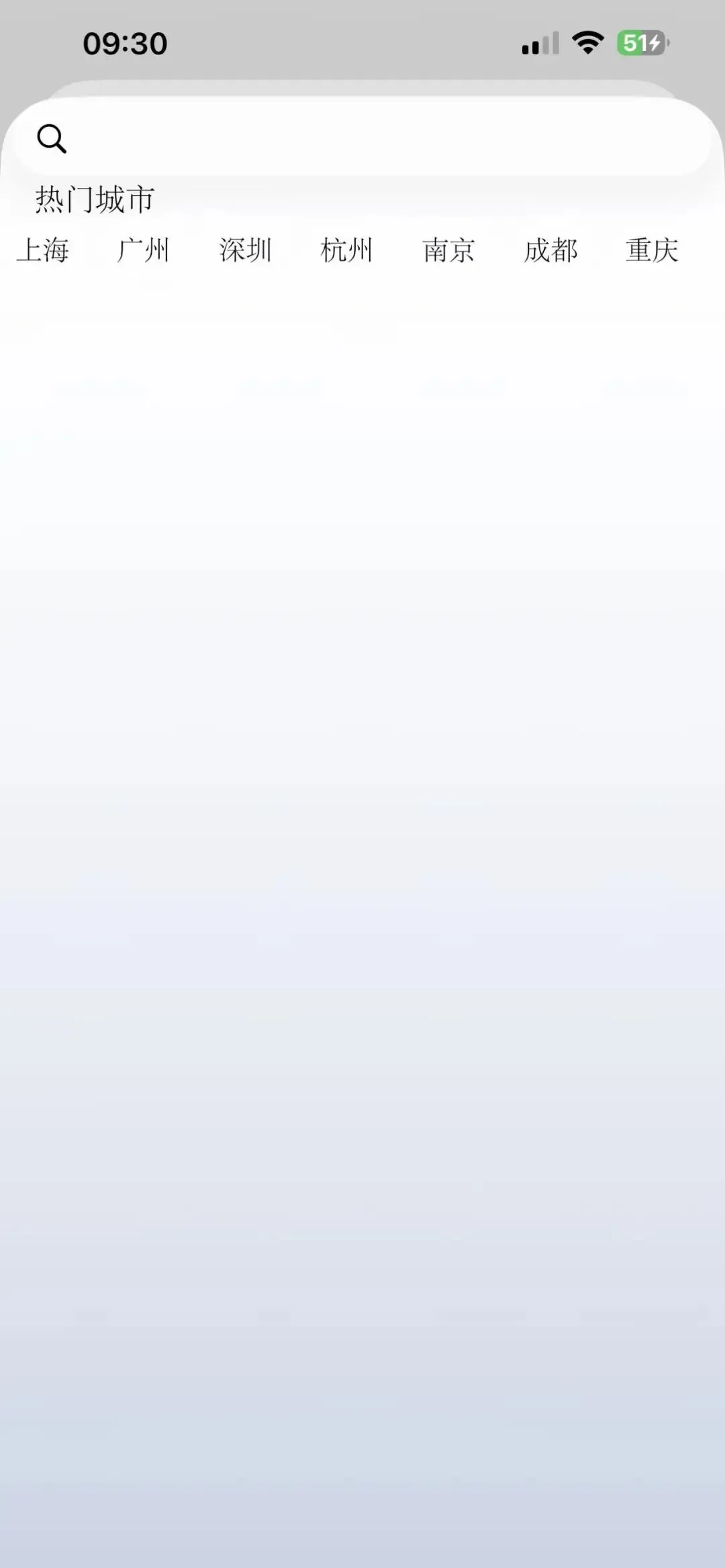
在移动应用开发中,横向滚动的列表就像是一扇可以滑动的“内容橱窗”——只需轻轻一划,便能展开超出屏幕限制的丰富信息。它不仅高效利用了空间,更通过流畅的交互体验,让用户以指尖的滑动探索更多可能。
无论是点击跳转到详情页,还是触发弹窗进行快速操作,横向滚动组件都让交互变得轻盈而直接。尤其在大型电商场景中,它更是游刃有余:商品图片与信息卡片灵活混排、搭配推荐,构成视觉与功能兼备的“信息走廊”,既吸引视线,又带动沉浸式的浏览体验。
https://developer.apple.com/documentation/uikit/uicollectionview
官网使用样例:
https://developer.apple.com/documentation/uikit/building-high-performance-lists-and-collection-views
UICollectionView 的继承是从 UIScrollView 扩展而来。
UICollectionView → UIScrollView → UIView → UIResponder → NSObject
| | |
|---|
| | |
| | |
| | |
| | constraints、intrinsicContentSize |
| | |
| | |
晴雨 iOS 应用的地区列表是通过 UICollectionView 进行实现,能够进行地区横向滑动,能够点击地区,成为天气选择地。
城市数据模型:
// City.swiftstruct City { let id: String let name: String let pinyin: String let isHot: Bool var isSelected: Bool = false // 热门城市数据示例 static let hotCities: [City] = [ City(id: "110100", name: "北京", pinyin: "beijing", isHot: true), City(id: "310100", name: "上海", pinyin: "shanghai", isHot: true), City(id: "440100", name: "广州", pinyin: "guangzhou", isHot: true), City(id: "440300", name: "深圳", pinyin: "shenzhen", isHot: true), City(id: "330100", name: "杭州", pinyin: "hangzhou", isHot: true), City(id: "320100", name: "南京", pinyin: "nanjing", isHot: true), City(id: "120100", name: "天津", pinyin: "tianjin", isHot: true), City(id: "510100", name: "成都", pinyin: "chengdu", isHot: true), City(id: "500100", name: "重庆", pinyin: "chongqing", isHot: true), City(id: "420100", name: "武汉", pinyin: "wuhan", isHot: true), City(id: "610100", name: "西安", pinyin: "xian", isHot: true), City(id: "430100", name: "长沙", pinyin: "changsha", isHot: true) ]}
自定义的内容 CollectionViewCell:
// CityCollectionViewCell.swiftimport UIKitclass CityCollectionViewCell: UICollectionViewCell { static let reuseIdentifier = "CityCollectionViewCell" private let nameLabel: UILabel = { let label = UILabel() label.textAlignment = .center label.font = UIFont.systemFont(ofSize: 14, weight: .medium) label.translatesAutoresizingMaskIntoConstraints = false return label }() override var isSelected: Bool { didSet { updateAppearance() } } override init(frame: CGRect) { super.init(frame: frame) setupUI() } required init?(coder: NSCoder) { fatalError("init(coder:) has not been implemented") } private func setupUI() { contentView.addSubview(nameLabel) NSLayoutConstraint.activate([ nameLabel.leadingAnchor.constraint(equalTo: contentView.leadingAnchor, constant: 8), nameLabel.trailingAnchor.constraint(equalTo: contentView.trailingAnchor, constant: -8), nameLabel.topAnchor.constraint(equalTo: contentView.topAnchor, constant: 8), nameLabel.bottomAnchor.constraint(equalTo: contentView.bottomAnchor, constant: -8) ]) layer.cornerRadius = 8 layer.masksToBounds = true layer.borderWidth = 1 layer.borderColor = UIColor.lightGray.cgColor updateAppearance() } private func updateAppearance() { if isSelected { backgroundColor = UIColor.systemBlue nameLabel.textColor = .white layer.borderColor = UIColor.systemBlue.cgColor } else { backgroundColor = .white nameLabel.textColor = .darkGray layer.borderColor = UIColor.lightGray.cgColor } } func configure(with city: City) { nameLabel.text = city.name }}
城市选择视图控制器:
// HotCitiesViewController.swiftimport UIKitclass HotCitiesViewController: UIViewController { // MARK: - Properties private var cities = City.hotCities private var selectedCity: City? // MARK: - UI Components private lazy var collectionView: UICollectionView = { let layout = UICollectionViewFlowLayout() layout.minimumLineSpacing = 12 layout.minimumInteritemSpacing = 12 layout.sectionInset = UIEdgeInsets(top: 16, left: 16, bottom: 16, right: 16) let collectionView = UICollectionView(frame: .zero, collectionViewLayout: layout) collectionView.translatesAutoresizingMaskIntoConstraints = false collectionView.backgroundColor = .white collectionView.register(CityCollectionViewCell.self, forCellWithReuseIdentifier: CityCollectionViewCell.reuseIdentifier) collectionView.dataSource = self collectionView.delegate = self collectionView.allowsMultipleSelection = false return collectionView }() private let titleLabel: UILabel = { let label = UILabel() label.text = "热门城市" label.font = UIFont.systemFont(ofSize: 18, weight: .bold) label.translatesAutoresizingMaskIntoConstraints = false return label }() private let subtitleLabel: UILabel = { let label = UILabel() label.text = "请选择您所在的城市" label.font = UIFont.systemFont(ofSize: 14) label.textColor = .gray label.translatesAutoresizingMaskIntoConstraints = false return label }() private let doneButton: UIButton = { let button = UIButton(type: .system) button.setTitle("完成选择", for: .normal) button.titleLabel?.font = UIFont.systemFont(ofSize: 16, weight: .semibold) button.backgroundColor = .systemBlue button.setTitleColor(.white, for: .normal) button.layer.cornerRadius = 8 button.translatesAutoresizingMaskIntoConstraints = false return button }() // MARK: - Lifecycle override func viewDidLoad() { super.viewDidLoad() setupUI() setupConstraints() setupActions() } // MARK: - Setup private func setupUI() { view.backgroundColor = .white view.addSubview(titleLabel) view.addSubview(subtitleLabel) view.addSubview(collectionView) view.addSubview(doneButton) // 设置导航栏 title = "城市选择" navigationItem.rightBarButtonItem = UIBarButtonItem( title: "重置", style: .plain, target: self, action: #selector(resetSelection) ) } private func setupConstraints() { NSLayoutConstraint.activate([ titleLabel.topAnchor.constraint(equalTo: view.safeAreaLayoutGuide.topAnchor, constant: 20), titleLabel.leadingAnchor.constraint(equalTo: view.leadingAnchor, constant: 20), subtitleLabel.topAnchor.constraint(equalTo: titleLabel.bottomAnchor, constant: 8), subtitleLabel.leadingAnchor.constraint(equalTo: titleLabel.leadingAnchor), collectionView.topAnchor.constraint(equalTo: subtitleLabel.bottomAnchor, constant: 20), collectionView.leadingAnchor.constraint(equalTo: view.leadingAnchor), collectionView.trailingAnchor.constraint(equalTo: view.trailingAnchor), collectionView.bottomAnchor.constraint(equalTo: doneButton.topAnchor, constant: -20), doneButton.leadingAnchor.constraint(equalTo: view.leadingAnchor, constant: 20), doneButton.trailingAnchor.constraint(equalTo: view.trailingAnchor, constant: -20), doneButton.bottomAnchor.constraint(equalTo: view.safeAreaLayoutGuide.bottomAnchor, constant: -20), doneButton.heightAnchor.constraint(equalToConstant: 50) ]) } private func setupActions() { doneButton.addTarget(self, action: #selector(doneButtonTapped), for: .touchUpInside) } // MARK: - Actions @objc private func doneButtonTapped() { guard let selectedCity = selectedCity else { showAlert(title: "提示", message: "请选择一个城市") return } print("选择的城市: \(selectedCity.name)") showAlert(title: "选择完成", message: "您选择了: \(selectedCity.name)") // 在实际应用中,这里可以: // 1. 保存选择到本地 // 2. 发送网络请求 // 3. 跳转到其他页面 // 4. 通知其他组件 } @objc private func resetSelection() { selectedCity = nil // 重置所有选中状态 for index in 0..<cities.count { cities[index].isSelected = false } collectionView.reloadData() collectionView.selectItem(at: nil, animated: true, scrollPosition: .top) } private func showAlert(title: String, message: String) { let alert = UIAlertController(title: title, message: message, preferredStyle: .alert) alert.addAction(UIAlertAction(title: "确定", style: .default)) present(alert, animated: true) }}// MARK: - UICollectionViewDataSourceextension HotCitiesViewController: UICollectionViewDataSource { func collectionView(_ collectionView: UICollectionView, numberOfItemsInSection section: Int) -> Int { return cities.count } func collectionView(_ collectionView: UICollectionView, cellForItemAt indexPath: IndexPath) -> UICollectionViewCell { guard let cell = collectionView.dequeueReusableCell( withReuseIdentifier: CityCollectionViewCell.reuseIdentifier, for: indexPath ) as? CityCollectionViewCell else { return UICollectionViewCell() } let city = cities[indexPath.item] cell.configure(with: city) cell.isSelected = city.isSelected return cell }}// MARK: - UICollectionViewDelegateextension HotCitiesViewController: UICollectionViewDelegate { func collectionView(_ collectionView: UICollectionView, didSelectItemAt indexPath: IndexPath) { // 更新数据源 for i in 0..<cities.count { cities[i].isSelected = (i == indexPath.item) } selectedCity = cities[indexPath.item] // 刷新可见单元格(优化性能,避免全部刷新) collectionView.reloadItems(at: collectionView.indexPathsForVisibleItems) }}// MARK: - UICollectionViewDelegateFlowLayoutextension HotCitiesViewController: UICollectionViewDelegateFlowLayout { func collectionView(_ collectionView: UICollectionView, layout collectionViewLayout: UICollectionViewLayout, sizeForItemAt indexPath: IndexPath) -> CGSize { let spacing: CGFloat = 12 let sectionInset: CGFloat = 16 let totalWidth = collectionView.bounds.width - (sectionInset * 2) let itemWidth = (totalWidth - spacing * 2) / 3 return CGSize(width: itemWidth, height: 50) }}
通过 Controller、CollectionViewCell、数据模型三个部分结合起来,即实现一个 UICollectionView 的地址列表。
可以说,横向滚动列表早已不仅是界面设计的常见元素,更是连接内容、交互与用户体验的生动纽带——它让有限的空间变得无限,也让静态的界面拥有了“流动的生命力”。
技术是一种时尚与流行文化