学习ARKTS的过程中,不可避免的遇到了回调这个概念,我感觉理解起来很头疼,好久都感觉理解的似懂非懂,似是而非的。考虑到我温故而知新的学习习惯,继续尝试用在银行办理业务,或饭店等号就餐的过程,理解下回调,不当之处欢迎指正。当我们去银行办理业务,不过随着APP的发展,去银行排队的事情也很少了,假定人很多吧,应该会发生如下场景:- 拿到号之后,就可以找个位置坐着休息,刷刷公众号,看看“GaussDB和他DB们 ”往期的总结,看看抖音视频号之类的;
- 随着排在我们前面的客户业务办理完成,窗口就会叫我们的号牌(66号)时;
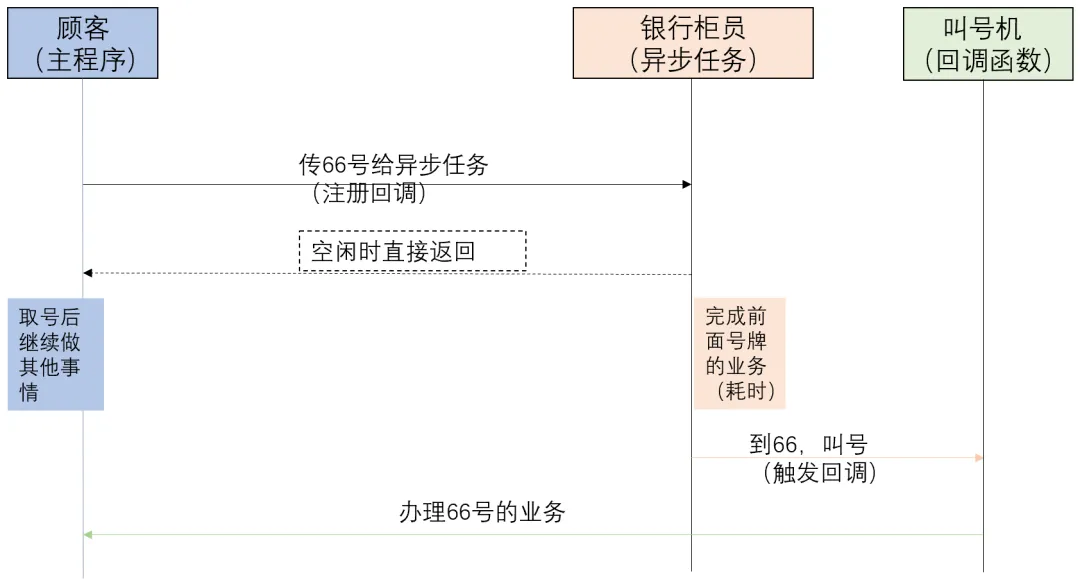
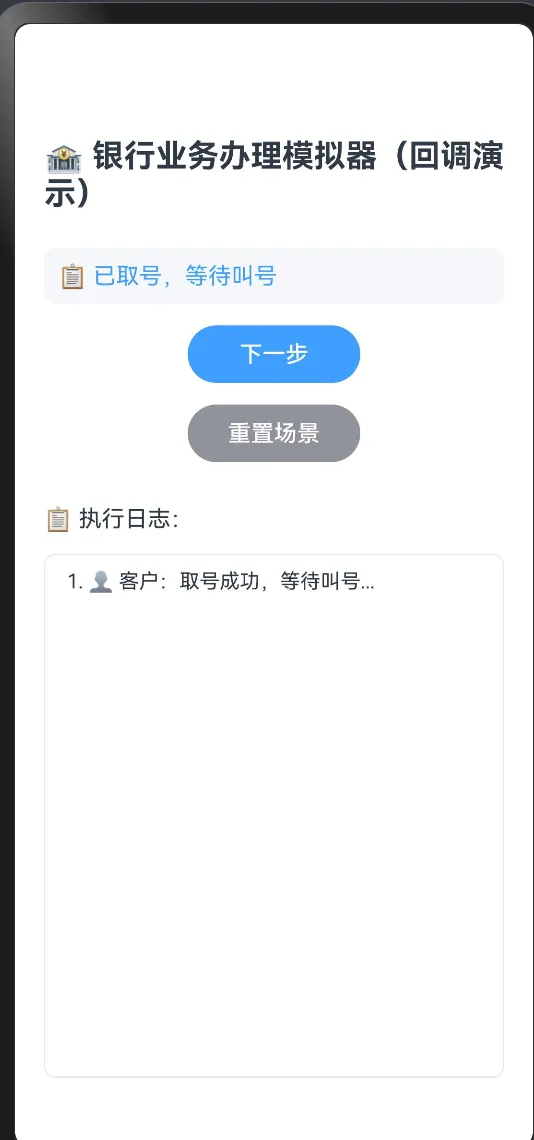
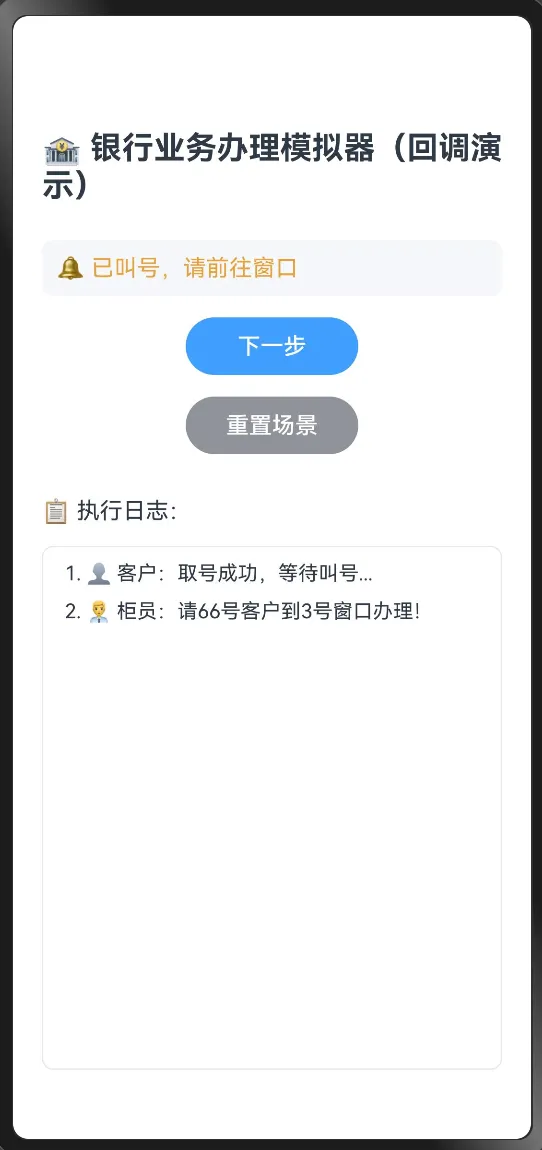
在这个场景,我们拿到的号牌是回调函数,记录我们办理业务的逻辑;办理业务的人是主程序,负责取等号牌,并且在号牌时间到了,办理后续的业务;银行的柜员和叫号机则是异步任务的执行者,当轮到某个号牌(比如说我们的66号)时,会广播:请66号客户到2号柜台办理业务!并且在LED屏上显示,叫号即触发回调事件。回调的核心思路是,主程序不需要一直等待异步程序的结果返回,而是可以继续完成其他任务,只是需要取一个号牌(即注册回调),等到号时(即回调条件满足时),叫号机进行广播(触发回调),如图1所示:第一步:客户已取号,等待叫号,这时候客户可以处理其他任务,不用一直等待:第二步:银行柜员办理完前面的65号,开始叫66号:图3
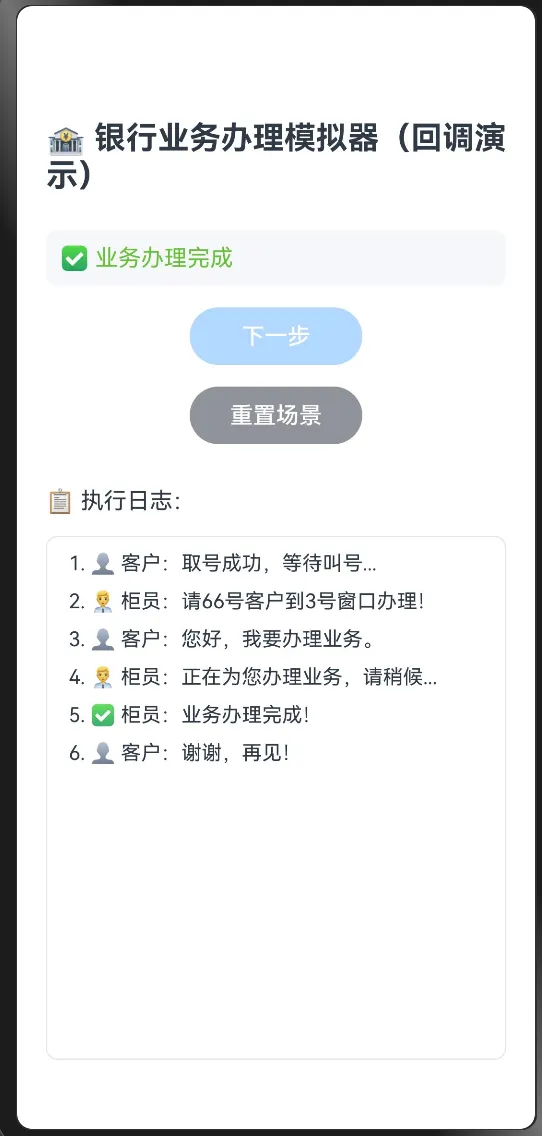
最后,业务办理完成:
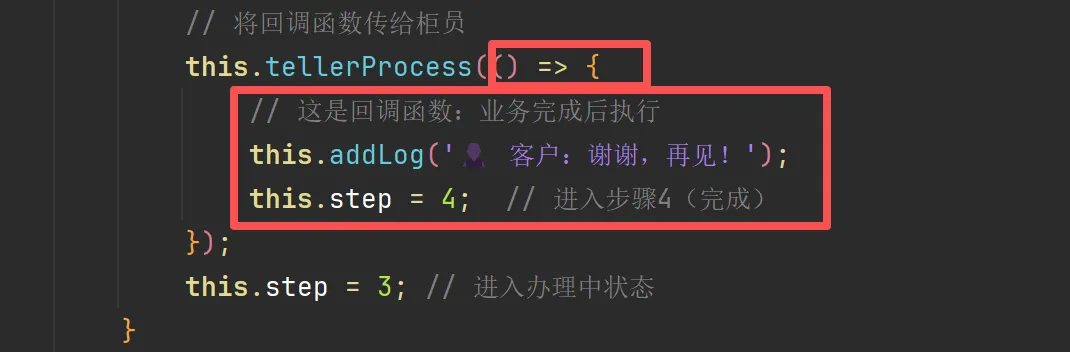
在调用时将() => { this.addLog(...); this.step = 4; }作为回调传递给tellerProcess。
在定义tellerProgress()函数时,指定参数为回调函数: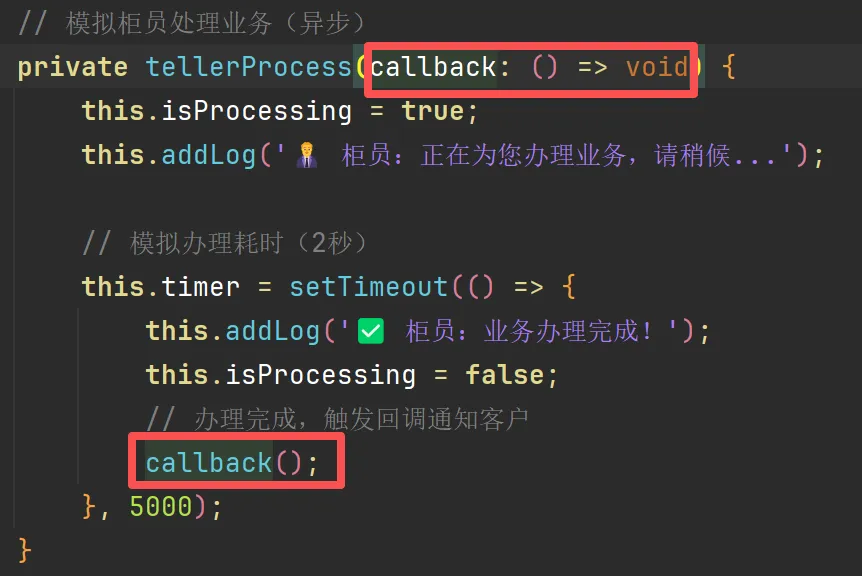
// BankCallbackDemoPage.etsimport { promptAction } from '@kit.ArkUI';@Entry@Componentstruct BankCallbackDemoPage {@State step: number = 0; // 当前步骤:0未开始,1取号,2叫号,3办理中,4完成@State logMessages: string[] = []; // 日志列表@State isProcessing: boolean = false; // 是否正在办理中(用于按钮禁用)private timer: number | null = null;// 添加日志private addLog(message: string) {this.logMessages.push(message); }// 清空重置private reset() {this.step = 0;this.logMessages = [];this.isProcessing = false;if (this.timer) { clearTimeout(this.timer);this.timer = null; } }// 模拟柜员处理业务(异步)private tellerProcess(callback: () => void) {this.isProcessing = true;this.addLog('👨💼 柜员:正在为您办理业务,请稍候...');// 模拟办理耗时(2秒)this.timer = setTimeout(() => {this.addLog('✅ 柜员:业务办理完成!');this.isProcessing = false;// 办理完成,触发回调通知客户 callback(); }, 2000); }// 处理下一步点击private onNextStep() {if (this.step === 0) {// 步骤1:客户取号this.addLog('👤 客户:取号成功,等待叫号...');this.step = 1; } elseif (this.step === 1) {// 步骤2:柜员叫号this.addLog('👨💼 柜员:请A12号客户到3号窗口办理!');this.step = 2; } elseif (this.step === 2) {// 步骤3:客户前往柜台,开始办理(异步)this.addLog('👤 客户:您好,我要办理业务。');// 将回调函数传给柜员this.tellerProcess(() => {// 这是回调函数:业务完成后执行this.addLog('👤 客户:谢谢,再见!');this.step = 4; // 进入步骤4(完成) });this.step = 3; // 进入办理中状态 }// 步骤4为已完成,不再响应点击 } build() { Column({ space: 15 }) {// 标题 Text('🏦 银行业务办理模拟器(回调演示)') .fontSize(22) .fontWeight(FontWeight.Bold) .margin({ top: 20, bottom: 10 })// 当前步骤状态 Row() {if (this.step === 0) { Text('⏳ 未开始').fontColor('#909399') } elseif (this.step === 1) { Text('📋 已取号,等待叫号').fontColor('#409EFF') } elseif (this.step === 2) { Text('🔔 已叫号,请前往窗口').fontColor('#E6A23C') } elseif (this.step === 3) { Text('⏰ 办理中...').fontColor('#FF6B35') } elseif (this.step === 4) { Text('✅ 业务办理完成').fontColor('#67C23A') } } .padding(10) .width('100%') .backgroundColor('#F5F7FA') .borderRadius(8)// 下一步按钮 Button('下一步') .width(120) .height(40) .backgroundColor('#409EFF') .enabled(this.step < 4 && !this.isProcessing) // 步骤4或办理中时禁用 .onClick(() => this.onNextStep())// 重置按钮 Button('重置场景') .width(120) .height(40) .backgroundColor('#909399') .onClick(() => this.reset())// 日志显示 Text('📋 执行日志:') .fontSize(16) .width('100%') .textAlign(TextAlign.Start) .margin({ top: 15 }) List() { ForEach(this.logMessages, (msg: string, index: number) => { ListItem() { Text(`${index + 1}. ${msg}`) .fontSize(14) .padding({ left: 10, right: 10, top: 5, bottom: 5 }) .width('100%') } }, (msg: string, index: number) => index.toString()) } .layoutWeight(1) .width('100%') .border({ width: 1, color: '#E8E8E8' }) .borderRadius(8) .padding(5) } .padding(20) .width('100%') .height('100%') .backgroundColor('#FFFFFF') } aboutToDisappear() {if (this.timer) { clearTimeout(this.timer); } }}