地址:https://play.kotlinlang.org/import kotlinx.coroutines.*funmain() { runBlocking { println("Weather forecast") delay(5000) println("Sunny") }}
这里解释下,如果单用delay(5000),是会报错,必须要加runBlocking {}。那如果我们要在自己的函数里面用时延,则还需要添加关键字suspend:import kotlinx.coroutines.*funmain() { runBlocking { println("Weather forecast") printSunny() }}suspend funprintSunny(){ delay(5000) println("Sunny")}
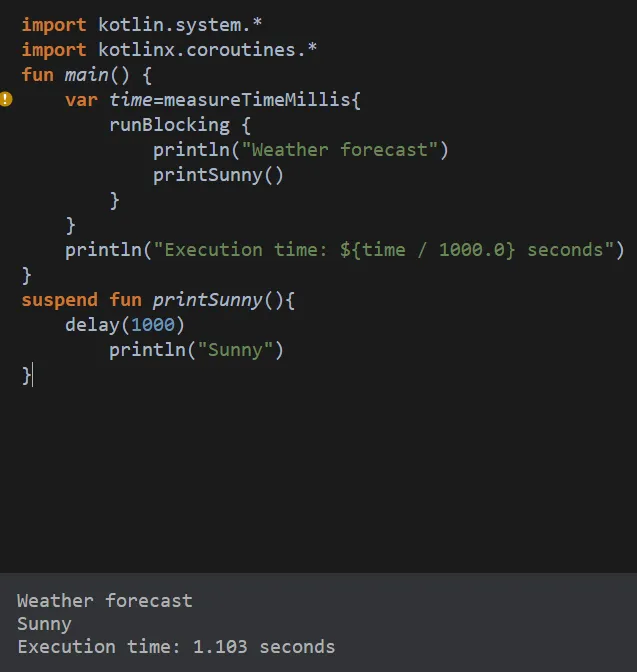
import kotlin.system.*import kotlinx.coroutines.*funmain() { var time=measureTimeMillis{ runBlocking { println("Weather forecast") printSunny() } } println("Execution time: ${time / 1000.0} seconds")}suspend funprintSunny(){ delay(5000) println("Sunny")}
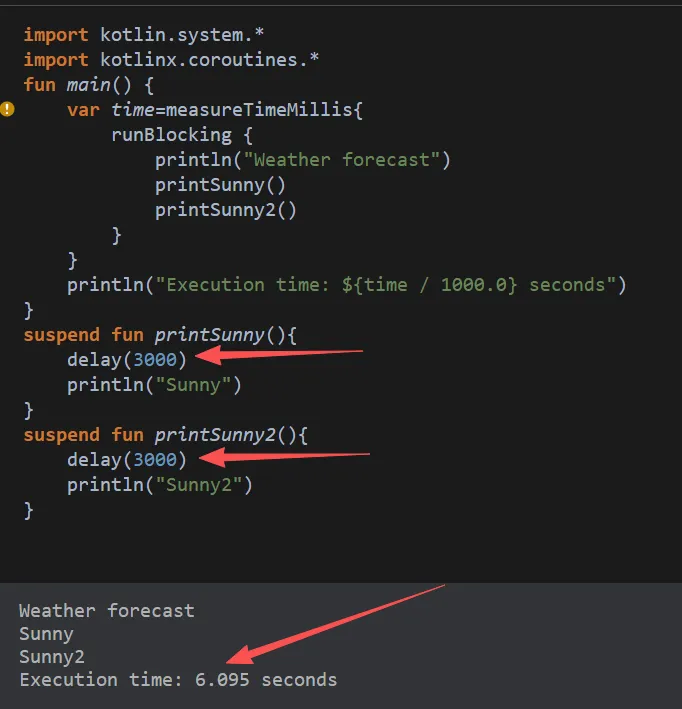
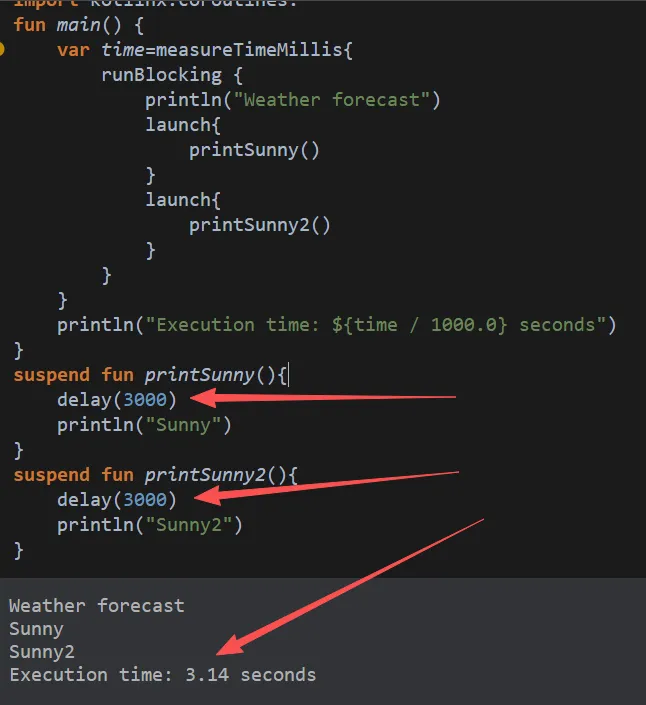
从上个步骤继续往下走(时间改短一点,不然这里运行会报错),如果我们有两个类似时延5秒的函数,时间就会比较久:import kotlin.system.*import kotlinx.coroutines.*funmain() { var time=measureTimeMillis{ runBlocking { println("Weather forecast") launch{ printSunny() } launch{ printSunny2() } } } println("Execution time: ${time / 1000.0} seconds")}suspend funprintSunny(){ delay(3000) println("Sunny")}suspend funprintSunny2(){ delay(3000) println("Sunny2")}
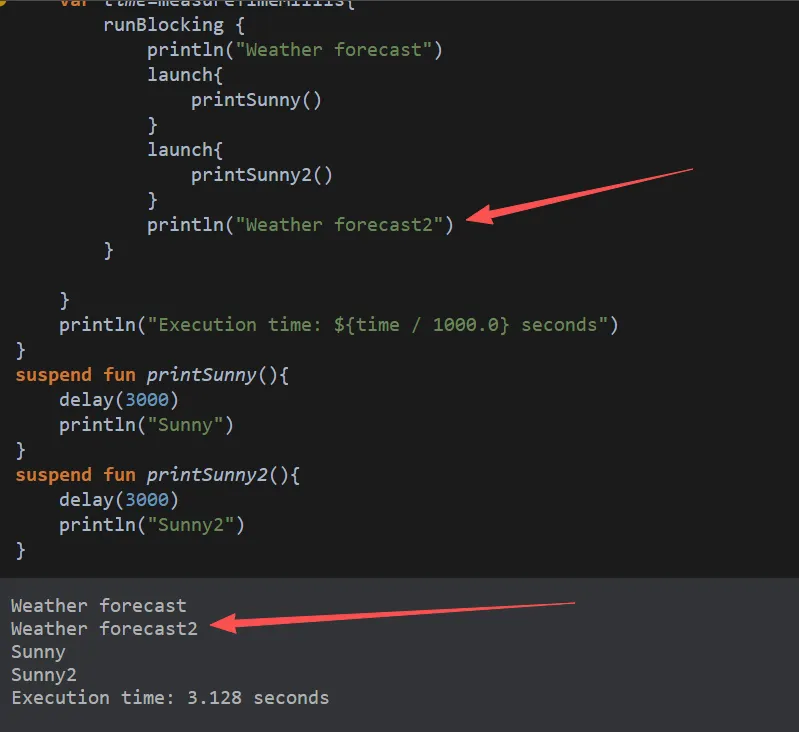
这就是简单的异步(并发运行),然后我们新增一个打印,看看结果:这里就能看出来,代码写在最后,但是打印是在前面的,异步原理,其实也就是新增了几个线程,处理耗时长的内容,但是不耽误原线程后续执行内容。这块可能有一个困惑点吧,如果把打印位置放在runBlocking {}后面呢,效果是如何?大家可以尝试下,这次,Weather forecast2就会出现在最后了。因为runBlocking的核心特性:它会阻塞外部线程,直到自己内部所有子协程全部完成才放行。
- 单 launch 场景:内部只有一个 3s 协程 → runBlocking 卡 3s → 总耗时 3s;
- 双 launch 场景:两个 3s 协程并发跑完 → runBlocking 只卡 3s,不是叠加 6s。
- 协程容器:提供作用域,里面多个launch天然并发;
- 阻塞屏障:会死死等内部所有子协程全部结束,才退出代码块、释放外面的主线程。
- 上面我们只是使用了异步,但是不能控制它在执行完后再去执行某一项操作,这时候使用 launch() 的方法是不够的。在这种情况下,async() 就可以派上用场了。
- async() 函数会返回一个类型为 Deferred 的对象,可以使用 await() 访问 Deferred 对象上的结果。
suspend funprintSunny():String{ delay(3000) return "Sunny"}suspend funprintSunny2():String{ delay(3000) return "Sunny2"}
funmain() { var time=measureTimeMillis{ runBlocking { println("Weather forecast") val ps1:Deferred<String> = async{ printSunny() } val ps2:Deferred<String> = async{ printSunny2() } println("${ps1.await()}${ps2.await()}") println("Weather forecast2") } } println("Execution time: ${time / 1000.0} seconds")}
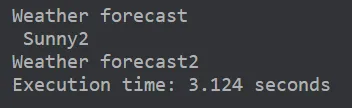
Execution time: 3.127 seconds就可以看出,这个时延函数返回的值在时延后被使用,进行了打印操作。最后我们再加入coroutineScope(局部作用域)使用:import kotlin.system.*import kotlinx.coroutines.*funmain() { var time=measureTimeMillis{ runBlocking { println("Weather forecast") println(printSunnySum()) println("Weather forecast2") } } println("Execution time: ${time / 1000.0} seconds")}suspend funprintSunnySum()=coroutineScope{ val ps1= async{ printSunny() } val ps2 = async{ printSunny2() } "${ps1.await()}${ps2.await()}"}suspend funprintSunny():String{ delay(3000) return "Sunny"}suspend funprintSunny2():String{ delay(3000) return "Sunny2"}
原来的代码和这次代码的区别是从async 直接写在 runBlocking 里,变成async 封装进coroutineScope挂起函数。- 可复用并发逻辑打包成一个
suspend函数,别的地方想同时跑这两个任务,直接调用printSunnySum()即可;第一段代码的 async 逻辑写死在 runBlocking 里,不能复用。 - 异常隔离内部两个任务报错只会影响
printSunnySum自身,外层代码不受牵连;第一段某个 async 出错会直接整段 runBlocking 崩溃。 - 结构化并发规范一组绑定在一起的并行任务收进独立作用域,取消、生命周期统一管理,不会出现协程泄漏,是项目标准写法。
suspend funprintSunnySum()=coroutineScope{ val ps1= async{ printSunny() } val ps2 = async{ printSunny2() } delay(1000) ps1.cancel()//这里取消了第一个时延函数 " ${ps2.await()}"}